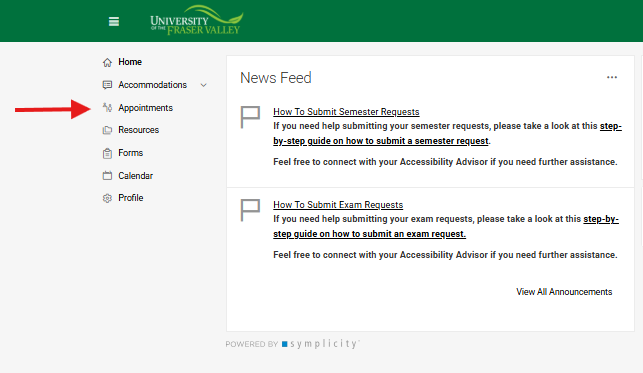
Select 'Appointments' in your Accommodate home page.
2
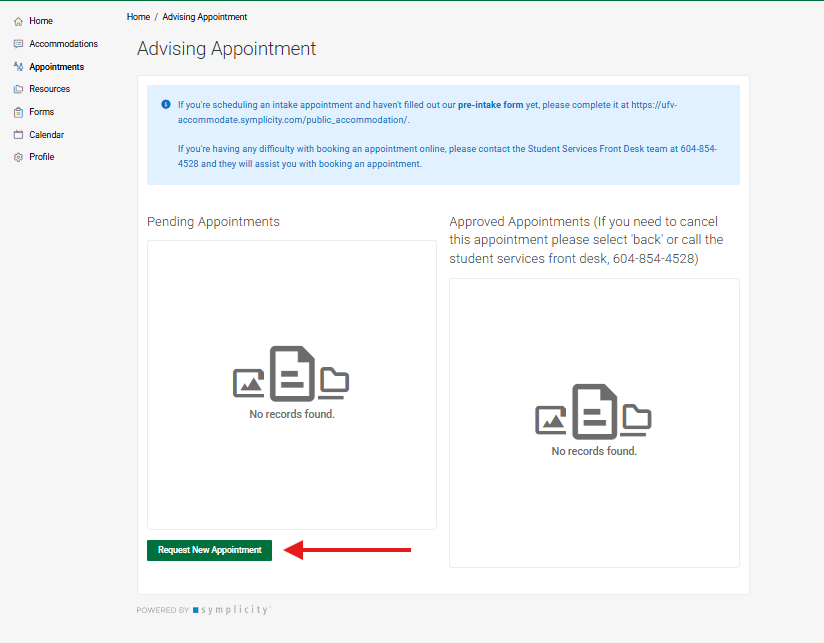
Select 'Request New Appointment'
3
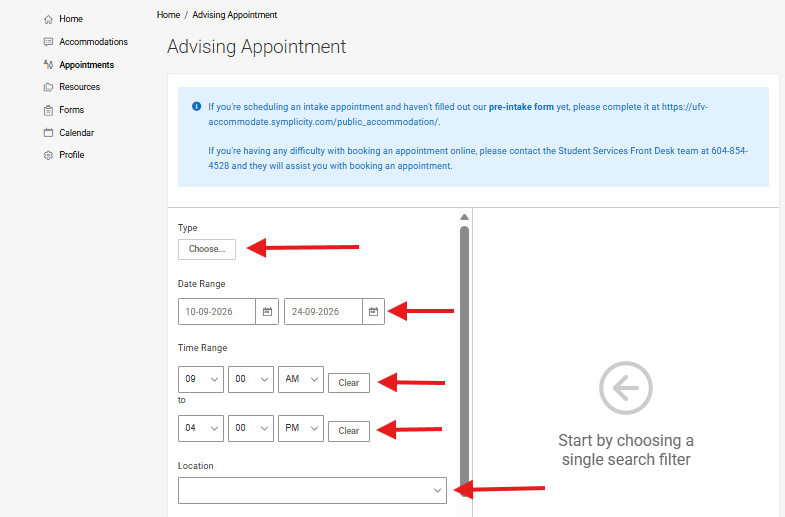
Select your Appointment Type, Date, and Location
Choose your appointment type (Intake appointment or Follow-up).
Students who have not met with an Accessibility Advisor yet should select 'Intake Appointment (90 min)'.
Choose the date and time range that you would like your appointment to occur within.
Choose the appointment location (In-person at the Abbotsford campus or Chilliwack campus, Virtual, or Phone).
4
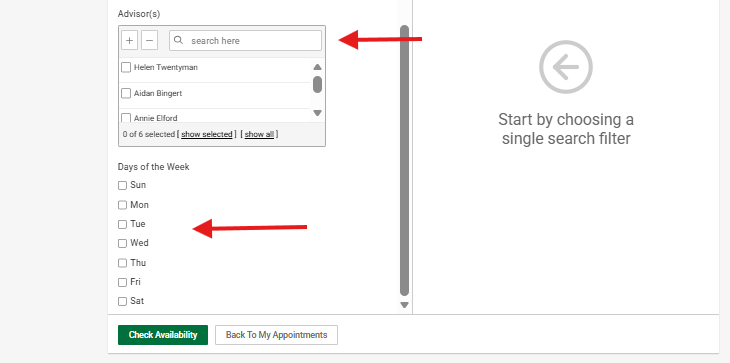
Select the 'Accessibility Advisor' and 'Days of the Week'
Select the Accessibility Advisor you would like to book your appointment with.
Select the day(s) of the week that you would like your appointment to occur on.
5
Select 'Check Availability'
6
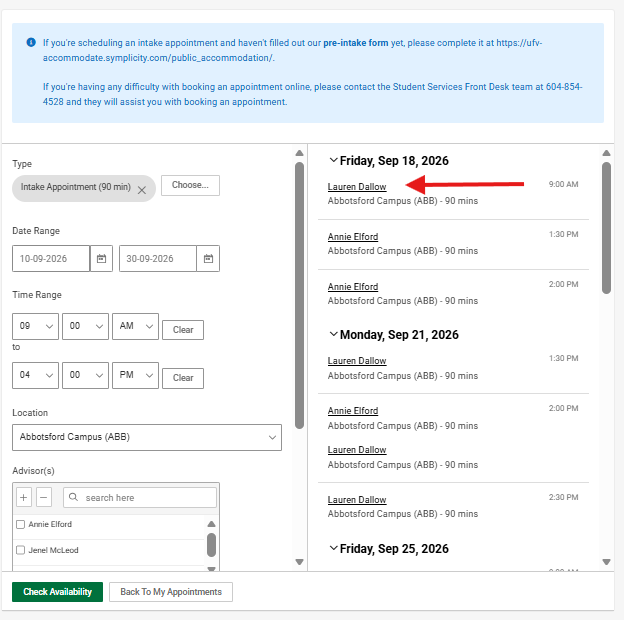
Select the Preferred Appointment
Select the appointment that you would like to book by clicking on the Accessibility Advisor's name.
7
Confirm the Appointment
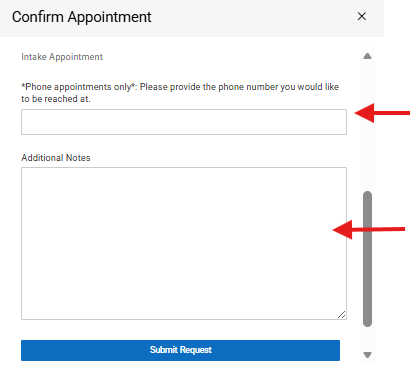
Once you have selected the appointment, Accommodate will bring up a pop-up box that confirms the appointment details.
For students booking phone appointments, please provide the phone number that you would like to be reached at.
If there is any information that you would like your Accessibility Advisor to know in advance of your appointment, please write it in the 'Additional Notes' section.