What's on this page
-
Finding basic class info (subject & course number, credit hours, campus location)
-
Class meeting times (days, times, building, room number)
-
Instructional methods (whether a class is in-person, online, blended, etc.)
-
Class status & reserved seats (whether a class has seats available)
-
Understanding the attributes column (Zero Textbook Cost, Supported Learning Groups, etc.)
-
Finding the course description, prerequisites or corequisites, and important section notes.
-
Linked sections (lectures + labs)
Understanding the schedule
Basic class information
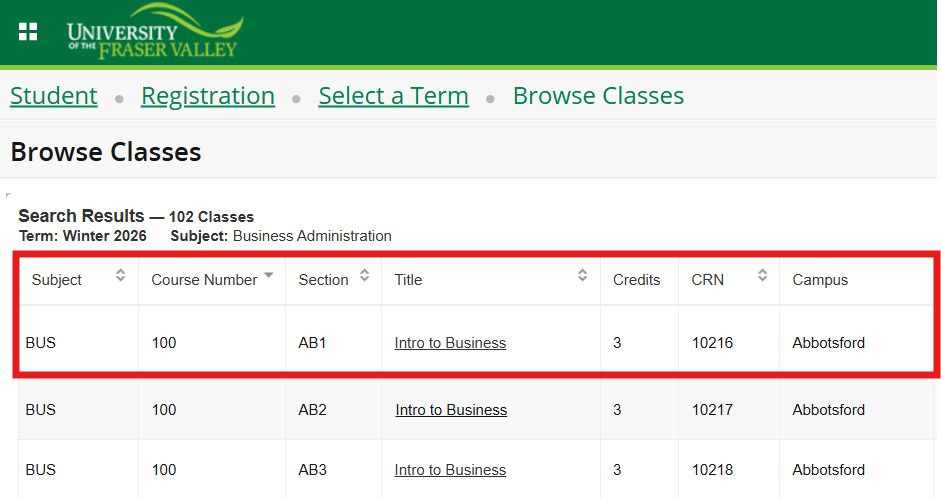
The first columns of the search results screen will show you:
- Subject (e.g. BUS for 'Business') & course number (e.g. 100) for 'BUS 100'
- Section: used to identify the specific class/block (e.g. AB1, ON1)
- Title: (e.g. Introduction to Business)
- Credits: Course credit hours
- CRN: Course Reference Number (e.g. 90021)
- Campus: Where the class will be held [See Campuses and locations for more info]
Meeting times
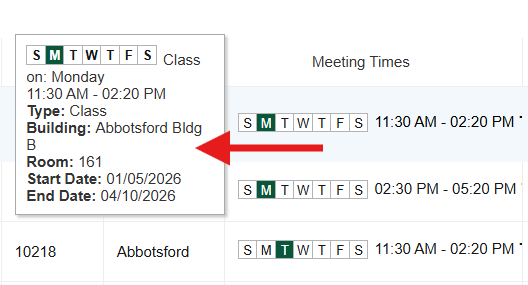
Click on the meeting times entry to see a pop-up with full details:
- Day of the week
- Class times
- Type of class: Lecture, lab, directed/independent studies, etc.
- Building & room number
- Start & end dates
Instructional method
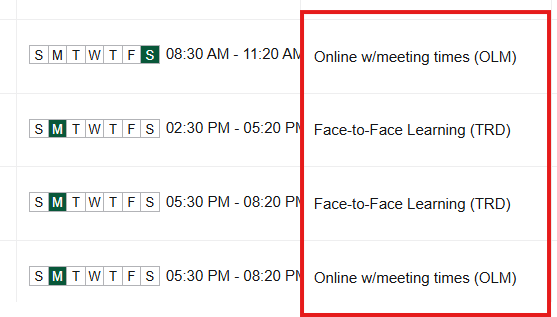
Classes at UFV are offered with one of these five instructional methods:
- TRD – Face-to-Face Learning
- OLM – Online with scheduled meeting times
- OLO – Online only (no meeting times)
- HYB – Blended (a mix of in-person and online instruction)
- HYX – Hyflex (flexible learning)
Full guide to instructional methods at UFV »
Class status & reserved seats
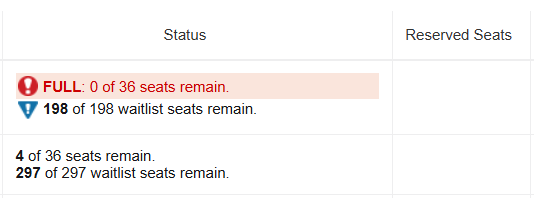
The 'Status' column shows whether a class has seats available:
- Number of seats remaining out of total class seats
- Number of waitlist seats remaining
The 'Reserved Seats' column shows the number of seats in a class reserved for a specific group of students. Learn more using the Reserved Seats Information table.
Attributes
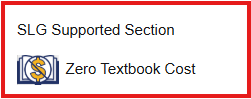
Some classes have additional info in the 'Attributes' column:
- If a class is part of the 'Zero Textbook Cost' program
- Whether a program-specific tuition rate applies
- If a class section has a Supported Learning Group
- Whether a class is 'upper level,' for program-planning info
Learn more about Zero Textbook Cost classes »
Course description, pre-requisites & co-requisites
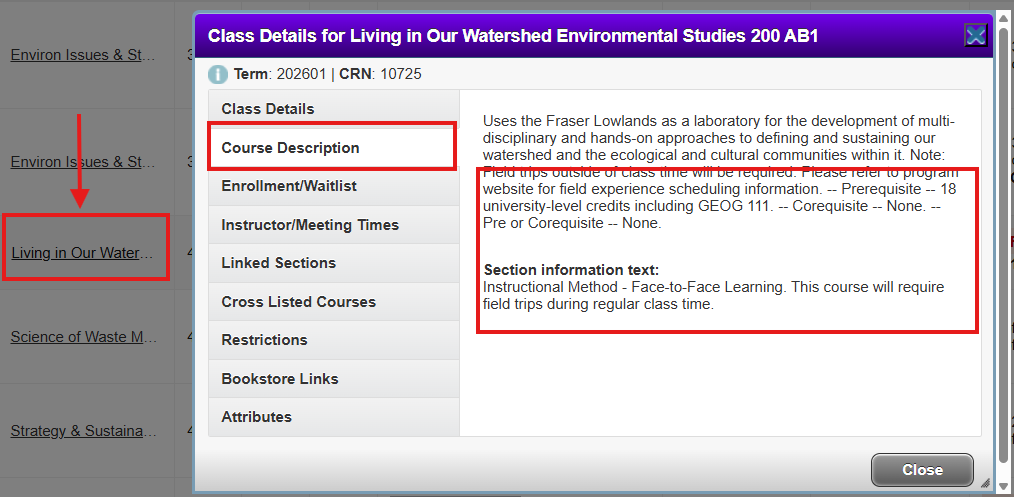
To find course description & prerequisite info, click on the class title:
Then click on 'Course description' to find:
- The course description from the official course outline.
- Pre- or Co- Requisite requirements (Note: not all courses will have pre- or co- requisites).
- Section information (e.g. details about this specific class, including added fees, off-site requirements, etc.)
You can also find course descriptions and prerequisite/corequisite info in UFV's official Academic Calendar.
Linked sections

'Linked' classes require an additional lab or practical component, with additional meeting times. Some lectures are linked with more than one lab section, which lets you choose the lab that works best for your schedule.
Tips:
- If you click 'view linked' from a lab section, you will see the linked lecture.
- If you click 'view linked' from the lecture section, you will see the linked lab sections.
Using Browse Classes with mobile device or tablet
For a more user-friendly experience, we recommend browsing classes using a large screen if possible.
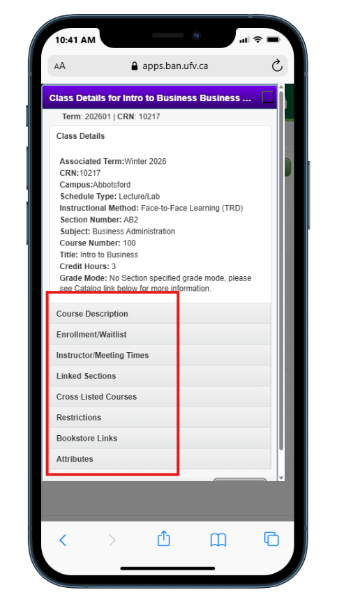
All the same information is available via mobile. To access class details, click on the class title.
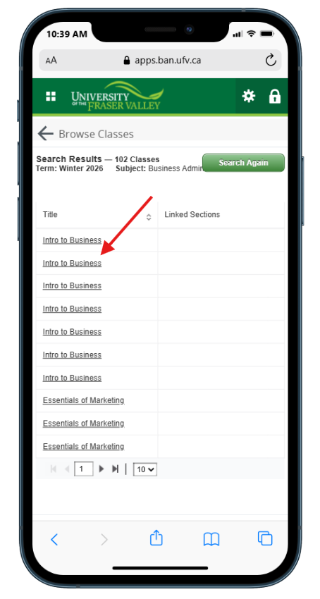
Then use the menu links to find course description, meeting times, etc.